
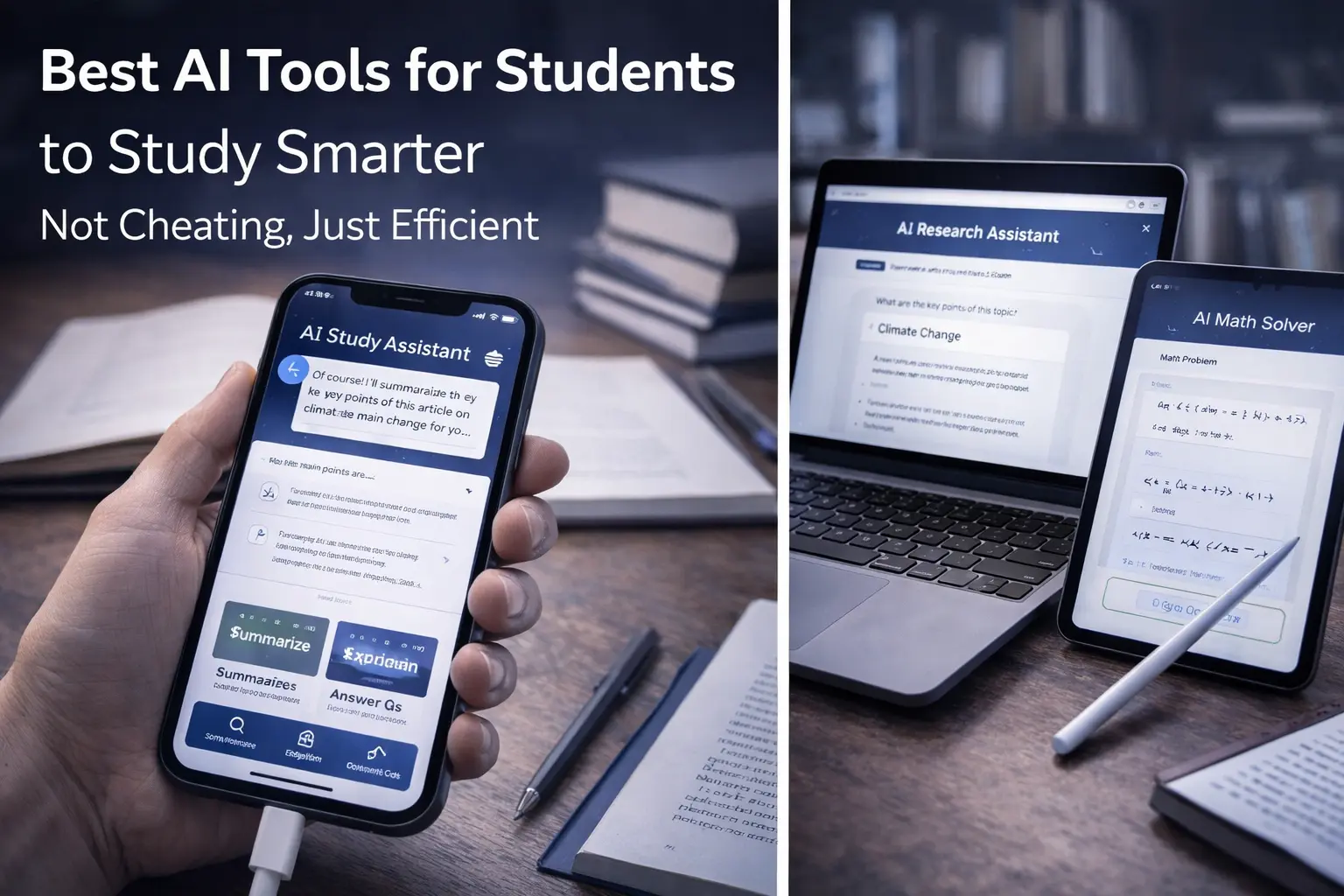
Best AI Tools for Students to Study Smarter
Not Cheating, Just Efficient
The relationship between students and AI has become complicated. Many students worry that using AI means cheating. Many educators worry that students will use AI to avoid learning. Meanwhile, AI tools are rapidly becoming the standard in workplaces. The reality is more nuanced. AI is a powerful study tool when used correctly. It can help you learn faster, understand difficult concepts, organize your work, and manage your time. It can also become a shortcut that prevents learning if misused. This guide reveals which AI tools genuinely help students study better, how to use them without academic dishonesty, and which tools to avoid because they promise more than they deliver.
Direct Answer — Featured Snippet
The best AI tools for students in 2026 include ChatGPT and Claude for understanding complex concepts and generating study questions, Notion AI for organizing notes and managing projects, Grammarly for improving writing without replacing your voice, Wolfram Alpha for math problem solving and verification, Quillbot for paraphrasing and understanding source material, and Otter.ai for transcribing lectures and interviews. However, the most important AI tool is your own critical thinking. AI works best as a study aid that supplements learning, not a replacement for it. Using AI to avoid learning is cheating. Using AI to learn faster and better is smart study strategy.
The Complicated Truth About AI and Academic Honesty
There is legitimate confusion about whether using AI tools is cheating. Some educators treat any AI use as academic dishonesty. Some students treat AI as a magic solution to do their work without effort. The truth is somewhere in the middle, and it depends on how the tools are used.
Consider a calculator. In many math classes, calculators are allowed because teachers recognize that calculation is not the skill being tested. Understanding mathematical concepts is. Using a calculator to do arithmetic is not cheating; using it to avoid learning algebra is a different story. AI tools work the same way. Using AI to help you understand a difficult concept is legitimate. Using AI to write your essay so you avoid thinking is dishonest.
The critical distinction is whether you are using AI to learn or to avoid learning. Are you using AI to help you study the material more effectively? That is legitimate. Are you using AI to generate work you submit as your own without engaging with the material? That is cheating, whether or not your institution has officially defined it that way.
Good AI use means being honest about it. Many institutions are updating their academic integrity policies to allow AI use when disclosed and used appropriately. Check your institution’s policies. Ask your teachers if AI tools are allowed for your assignment. Be transparent about how you used AI in your work.
Core Insight
AI is a tool. The difference between smart studying and cheating is not the tool itself. It is your intention and how you use it. If you are learning, it is legitimate. If you are avoiding learning, it is cheating.
How AI Can Actually Help You Study Better: The Real Benefits
When used appropriately, AI can genuinely improve your studying efficiency and depth of learning. Here are the real benefits:
AI as a tutor that never gets tired
You can ask AI to explain a concept in different ways until you understand it. Unlike human tutors with limited availability, AI is available 24/7. You can ask the same question ten different ways, and AI will provide different explanations until something clicks.
AI for generating study materials
AI can create practice questions, quizzes, and study guides based on your notes. Instead of staring at your textbook trying to figure out what to study, AI can help you generate targeted practice materials.
AI for organizing and planning
AI can help you organize notes, create study schedules, break large projects into smaller tasks, and manage your time. These are genuine productivity improvements that give you more time for actual learning.
AI for understanding difficult writing
Academic papers, textbooks, and research articles are often dense and difficult. AI can help you parse difficult language, summarize dense material, and understand what you are reading. This is learning support, not cheating.
AI for identifying gaps in understanding
AI can quiz you, test your knowledge, and point out where you have not yet understood material. This metacognitive awareness is crucial for effective studying.
The Best AI Tools for Different Study Needs
AI Tools Covered Here
- Tool 1 — ChatGPT and Claude: AI Tutors
- Tool 2 — Notion AI: Organization and Planning
- Tool 3 — Grammarly: Writing Improvement
- Tool 4 — Wolfram Alpha: Math and Problem Solving
- Tool 5 — Quillbot: Understanding and Paraphrasing
- Tool 6 — Otter.ai: Lecture Transcription
- Tool 7 — Perplexity: Research and Citation
- Tool 8 — Canva AI: Presentation Creation
- FAQ
Tool 1 — ChatGPT and Claude: Your Personal AI Tutors
ChatGPT and Claude are general-purpose AI assistants that can help with virtually any academic task. You can ask them to explain concepts, answer questions, generate study materials, and help you think through problems. The key difference: ask them to help you understand, not to do the work for you.
ChatGPT (OpenAI) is the most widely known. Claude (Anthropic) tends to give more detailed explanations and is particularly good at helping you think through problems step by step. Both are free with optional paid versions.
The best way to use these tools is as a conversation. Ask them to explain a concept. Ask clarifying questions. Ask them to explain it differently. Ask them to generate practice problems and then quiz you. This conversational approach means you are actively engaged in learning, not passively receiving answers.
Use them to: explain concepts in multiple ways, answer questions, generate study guides, create practice problems, explain your confusion until you understand. Do NOT use them to: write essays you will submit as your own work, do homework without engaging with the material, avoid reading and thinking on your own.
Best for: understanding difficult concepts, brainstorming, generating study materials, getting explanations
Tool 2 — Notion AI: Organize Your Entire Academic Life
Notion is a note-taking and organization platform. Notion AI adds the ability to generate summaries, organize notes, create study guides, and manage your academic workflow. You can dump notes from lectures into Notion, have AI organize them, and create structured study materials.
The value of Notion AI is productivity. You spend less time organizing and formatting, more time on actual learning. Notion keeps everything in one place: notes, assignments, deadlines, reading lists, study schedules. AI helps you make sense of it all.
Notion AI is particularly useful for organizing messy notes from lectures or your own reading. Paste unstructured notes and AI will organize them, create outlines, and generate study questions.
Use for: organizing lecture notes, creating study guides from notes, managing deadlines and assignments, building reading lists, structuring your academic workflow. This is pure productivity improvement with no academic honesty concerns.
Best for: students who struggle with organization, managing multiple classes and deadlines
Tool 3 — Grammarly: Writing Better Without Losing Your Voice
Grammarly is a writing assistant that checks grammar, clarity, tone, and style. The AI version goes further, offering suggestions for improvement and rephrasing. Unlike some tools that rewrite your work, Grammarly gives you suggestions and lets you decide whether to accept them. This keeps your voice and thinking intact while improving the writing.
Grammarly is particularly useful for essays and research papers. You write the content yourself, then use Grammarly to improve clarity and correctness. This is universally accepted as legitimate writing help.
The danger with Grammarly is relying on it to fix bad writing without improving your own skills. Use it as a learning tool to understand what makes writing clear, not as a magic wand to fix lazy writing.
Use for: checking grammar and clarity in essays, learning what makes writing clear, improving your drafts while maintaining your voice. This is writing support that every student needs and most institutions accept.
Best for: anyone writing essays or research papers
Tool 4 — Wolfram Alpha: Math Problem Verification and Understanding
Wolfram Alpha is a computational knowledge engine. You enter a math problem and it shows you the answer along with the steps. This is incredibly useful for verifying your own work, understanding how to solve problems, and checking whether you got it right.
Wolfram Alpha is excellent for learning because it shows work. You solve the problem yourself, then use Wolfram Alpha to check and see if you did it right. This active verification is learning. Passively using it to get answers without solving first is not.
Most teachers recognize Wolfram Alpha as a learning tool, similar to a scientific calculator. Using it appropriately is legitimate.
Use for: verifying your work, understanding problem-solving steps, working through difficult problems when stuck, checking practice homework. Solve problems first, then verify with Wolfram Alpha.
Best for: math, physics, chemistry, and any computation-heavy subject
Tool 5 — Quillbot: Understand Through Paraphrasing
Quillbot rephrases text, helping you understand what you are reading or improving your writing. Unlike essay-generation tools, Quillbot is about understanding and expression. You read something dense, paste it into Quillbot, and get a clearer version that helps you understand.
The legitimate use of Quillbot is understanding difficult source material, then writing your own original work based on that understanding. The illegitimate use is paraphrasing sources and passing them off as your own work. If you use Quillbot to help understand something, then cite and properly attribute the original work, it is legitimate.
Use for: understanding dense academic writing, studying source material by reading multiple phrasings, improving your own writing clarity. Always cite original sources.
Best for: making academic reading more accessible, improving your own writing clarity
Tool 6 — Otter.ai: Transcribe Lectures and Interviews
Otter.ai automatically transcribes audio into text. You can record lectures or interviews and have them transcribed, making it easy to review, search, and study the material. This is particularly valuable if you miss details during lectures or want to review specific moments.
The value is in efficiency. You do not have to manually transcribe. You do not have to rewind and listen repeatedly to find specific information. The transcription is searchable and organized.
Otter.ai is universally accepted as legitimate because it is a transcription aid, not a content generation tool. It is recording what is said and converting it to text. Many institutions explicitly permit voice recording for accessibility and study purposes.
Use for: recording and transcribing lectures, transcribing interviews, making spoken material searchable and reviewable. Check your institution’s policy on recording first, but this is generally considered legitimate accessibility and study aid.
Best for: studying lectures, recording interviews for research, making audio accessible
Tool 7 — Perplexity: Research and Citation With AI
Perplexity is an AI search engine that retrieves information from the web and presents it in organized ways. You can ask research questions and get answers with citations. The key advantage is that it cites sources, which makes it easier to do research properly.
Perplexity is useful for research and understanding topics at a broad level. It is less useful for deep diving into specific sources. The AI-generated summaries are starting points, not destinations. You should read the original sources and form your own understanding.
Use for: understanding topics broadly, finding relevant sources, getting an overview before diving deep. Always follow the citation links and read original sources yourself.
Best for: initial research and understanding topics from multiple angles
Tool 8 — Canva AI: Create Professional Presentations Quickly
Canva AI helps you create visually professional presentations, posters, and graphics quickly. Instead of struggling with design, you describe what you want and Canva generates design suggestions. This saves time and helps you create polished presentations.
Canva AI is about presentation, not content. You decide what your presentation says and what it emphasizes. Canva helps with the visual design. This is universally accepted as legitimate tool use.
Use for: designing presentations, creating posters, making your work look professional. This is pure design help with no academic honesty concerns.
Best for: creating professional-looking presentations without design skills
AI Tools to Avoid: Red Flags and Bad Choices
Just as important as knowing which tools help is knowing which ones to avoid. Here are tools and uses that are problematic:
Essay-generation AI that you submit as your own
Tools like some versions of ChatGPT or specialized essay-generation platforms can write complete essays. Submitting these as your own work is cheating. Period. No matter how good the essay is, if you did not write it and think it yourself, it is not your work.
Tools that generate code you do not understand
In programming classes, AI can generate code that works but that you could not write yourself. Submitting this code is cheating. Using AI to understand how to code, then writing your own code, is legitimate.
Tools that promise to do your homework for you
If a tool’s marketing premise is « we will do your homework, » avoid it. These are explicitly cheating tools.
Tools that bypass academic integrity systems
Some tools claim to help you « avoid plagiarism detection » or « bypass AI detection. » These are explicitly designed for cheating. Do not use them.
The Honest Truth About AI and Learning
AI is best viewed as a leverage tool for learning, not a replacement for learning. Consider how a spreadsheet changed accounting. It did not make accounting obsolete. It made accountants more efficient at what they do. AI should do the same for students—make you more efficient at learning, not replace learning with shortcuts.
This matters because learning is not just about getting information. It is about understanding, applying, synthesizing, and growing. Shortcuts that avoid these processes do not help you in the long run. They might get you through this semester, but they will not prepare you for your career or your life.
The best approach to AI in studying is to use it for tasks that genuinely improve learning: understanding difficult concepts, organizing material, managing time, improving writing. Use it as a tool that amplifies your learning, not as a shortcut that replaces your thinking.
Practical Guide: Using AI Ethically While Getting Better Results
- Use AI to understand concepts better, not to avoid understanding them.
- Ask your teachers if AI tools are allowed for your assignments. Be transparent about what you use.
- Use ChatGPT and Claude as tutors. Ask them questions, have conversations, engage with the material.
- Use Notion AI to organize, but do your own reading and thinking.
- Use Grammarly to improve writing, but write the content yourself.
- Use Wolfram Alpha to verify your math work, not to get answers without solving first.
- Use Quillbot to understand material better, always with proper citations of sources.
- Use Otter.ai to transcribe lectures, which is legitimate and valuable.
- Use design and presentation tools freely—these have no academic integrity concerns.
- Remember: learning is your goal. AI is a tool to help you learn better. Use it that way.
Frequently Asked Questions
Is using ChatGPT to help understand a concept cheating?
Should I disclose that I used AI tools to my teacher?
Can AI tools detect other AI tools?
Is using AI to write essay outlines cheating?
What if my school bans all AI use?
Can I use AI to help with group projects?
What is the best way to study with AI tools?
Internal Linking Opportunities for ByteFix Lab
These three articles connect naturally with this guide and strengthen your Smart Tools & Resources category:
A Deeper Truth: Why This Moment Matters for Students
The students graduating in 2026 are the first generation to grow up with AI. They face a choice that previous generations did not: how will they relate to these powerful tools? Will they use AI to avoid thinking, or to think better? Will they treat AI as a threat to learning, or as an opportunity to learn more?
The answer matters because the future belongs to people who understand AI and know how to work with it. Schools that teach students to avoid AI are teaching obsolete skills. Schools that teach students to use AI as a learning tool are preparing them for the real world they will actually live in.
This does not mean abandoning learning fundamentals. Reading books, writing essays, solving problems, thinking critically—these are more important than ever. But these fundamentals now happen alongside AI. The skill is knowing when to use AI to accelerate learning and when to do the work yourself to build understanding.
In the end, the best students will not be those who banned AI from their work.
They will be the ones who learned to use AI as a tool for deeper learning, not a shortcut to avoid it.