
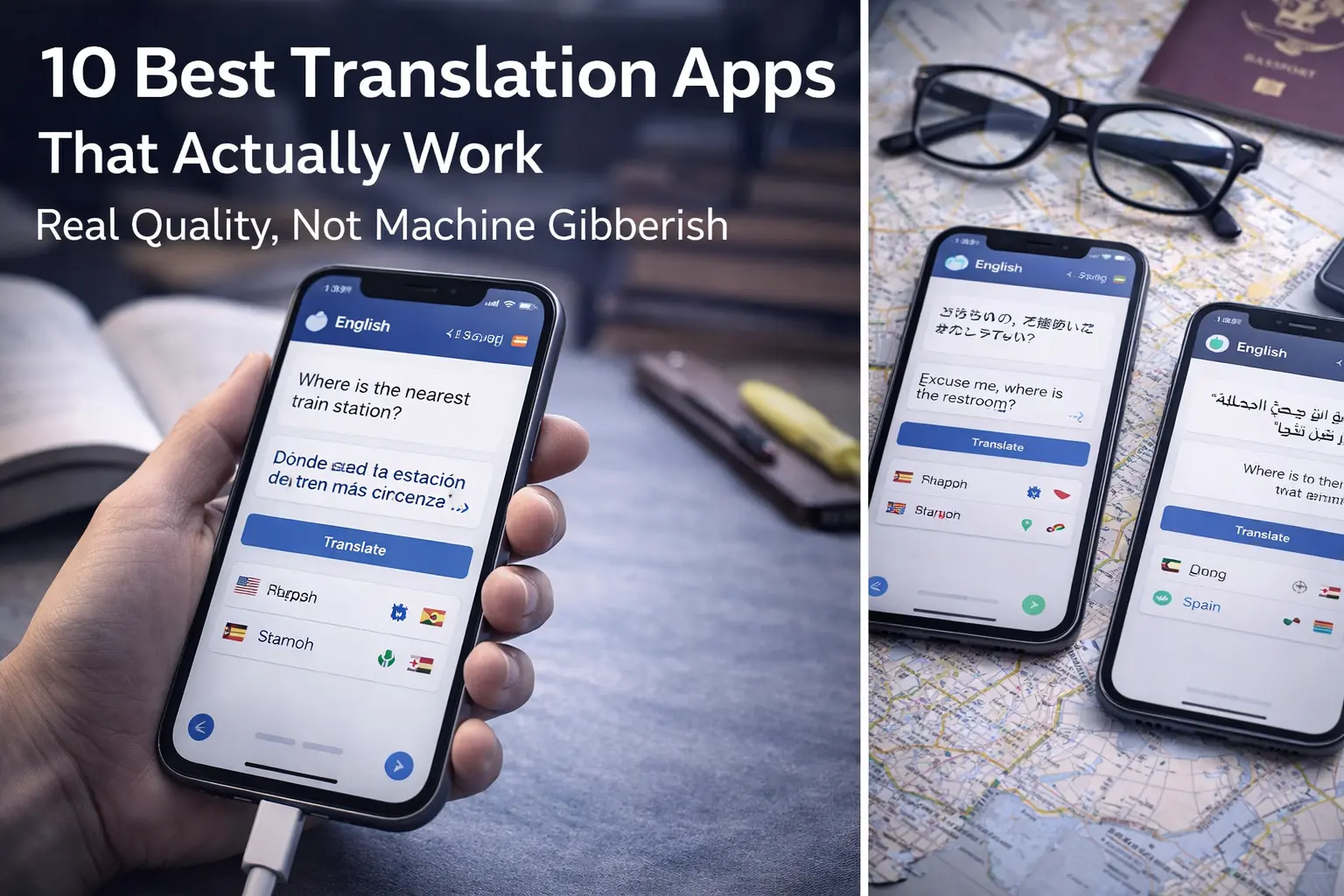
10 Best Translation Apps That Actually Work
Real Quality, Not Machine Gibberish
Translation technology has improved dramatically. Modern translation apps no longer produce the awkward, nonsensical results that defined machine translation a decade ago. They now handle grammar, context, and nuance in ways that were impossible before. Yet significant differences remain between apps. Some excel at formal documents. Some handle colloquialisms and slang. Some work perfectly offline. Some are designed for business. Some for casual travel. Some are free and some are premium. Most people use whatever translation app came preinstalled on their phone without exploring whether better options exist. This guide reveals the best translation apps available in 2026, what each one does well, which ones handle specific language pairs or contexts best, and which ones are worth your time and money.
Direct Answer — Featured Snippet
The best translation apps in 2026 are Google Translate for breadth and convenience, DeepL for premium quality and nuance, Microsoft Translator for business documents, iTranslate for travel and offline support, Reverso Context for learning languages through context, Papago for Asian languages, Yandex Translate as a backup, Baidu Translate for Chinese, Gboard for real-time keyboard translation, and ChatGPT or Claude for complex or culturally sensitive translations. The right app depends on your needs: travel, business, learning, or casual communication. Most tasks are served well by Google Translate or DeepL, but specialized needs require specialized tools.
Why Translation Apps Have Become Actually Useful
Ten years ago, machine translation was a joke. Feed a sentence to Google Translate and get back something that was technically a translation but often nonsensical. The problem was that translation is not just word substitution. It requires understanding context, grammar, cultural assumptions, and intent. Machines did not handle that well.
Modern translation apps use neural machine translation and deep learning. They analyze patterns in billions of examples of human translation. They model relationships between languages at multiple levels. The result is not perfect, but it is often quite good. Complex poems still pose problems. Culturally specific idioms still confuse machines. Technical jargon in specialized fields still produces errors. But for most communication purposes—travel, business, learning—modern translation is genuinely useful.
The difference between good and excellent translation apps is nuance handling, speed, offline capability, and language pair coverage. Google Translate covers more language pairs. DeepL handles nuance better. Microsoft Translator excels with business documents. Papago is best for Asian languages. Understanding these differences helps you choose the right tool for your situation.
Core Insight
Translation apps have improved so dramatically that the real question is not whether to use them, but which app is best for your specific needs.
Understanding Translation App Quality: What Makes One Better Than Another
Translation quality depends on several factors that different apps prioritize differently:
Contextual understanding
The same word can mean different things depending on context. « Bank » means something different in « river bank » vs. « savings bank. » Better translation apps understand context. Worse apps might translate both identically or choose the wrong meaning.
Nuance and idiom handling
Languages are full of idioms that do not translate literally. « Raining cats and dogs » does not mean animals are falling. Better apps recognize idioms and translate intent. Worse apps translate literally, producing confusing results.
Domain-specific accuracy
Medical translation requires different accuracy than casual conversation. Business documents demand formal register. Better apps handle different domains. Worse apps use the same approach for everything.
Language pair quality
Translation is easier between similar languages (Spanish to Italian) than distant ones (English to Japanese). Apps with more training data for a language pair produce better results.
Speed and offline capability
Some apps require internet connection. Some work offline. Some are instant. Some take seconds. Speed matters for different use cases.
The 10 Best Translation Apps, Ranked by Reliability and Quality
Top Translation Apps Covered
- App 1 — Google Translate: The Standard Reference
- App 2 — DeepL: Premium Nuance and Accuracy
- App 3 — Microsoft Translator: Business Documents
- App 4 — iTranslate: Travel and Offline
- App 5 — Reverso Context: Learning Through Examples
- App 6 — Papago: Asian Languages Specialist
- App 7 — Yandex Translate: Reliable Alternative
- App 8 — Baidu Translate: Chinese Specialization
- App 9 — Gboard Translate: Keyboard Integration
- App 10 — ChatGPT & Claude: Complex and Contextual
- FAQ
App 1 — Google Translate: The Comprehensive Standard
Google Translate is the most widely used translation app. It supports over 130 languages. It works in browsers, as a mobile app, and through multiple integrations. It offers text translation, image translation (point camera at sign to translate), voice translation, and real-time conversation mode. For most users, Google Translate is the default choice because it is free, covers nearly every language pair, and produces reasonable translations most of the time.
The strength of Google Translate is breadth and convenience. If you need to translate something, Google Translate probably handles it. The weakness is that it sometimes sacrifices nuance for speed. Translations are often grammatically correct but occasionally miss idioms or cultural context. For casual use, travel, and basic business communication, it is excellent. For literary translation or highly technical content, better options exist.
130+ languages, browser and app access, image translation, voice input, conversation mode. Free with no account needed. Works online only. Speed is fast. Quality is good for most uses.
Best for: quick translations, travel, checking vocabulary, covering rare language pairs
App 2 — DeepL: Premium Quality for Serious Translation
DeepL has built a reputation for translation quality. The app supports fewer languages than Google (28 major languages) but produces noticeably better translations in those languages, particularly for European languages and English-to-German/French/Spanish. DeepL excels at understanding context, handling idioms, and choosing register-appropriate words.
The strength of DeepL is quality. If you are translating something important and care about nuance, DeepL usually outperforms Google. The weakness is cost—DeepL’s free tier is limited. Full functionality requires a paid subscription. Also, language coverage is narrower. If you need translation in languages DeepL does not support, you need another app.
DeepL is worth trying for important translations. The free version allows limited translations. Pay if you translate frequently and care about quality.
28 major languages, exceptional quality for European languages, excellent idiom handling, good register awareness. Free tier with limited translations, paid plans available. Works online.
Best for: important translations, professional content, quality over speed and breadth
App 3 — Microsoft Translator: Business and Document Focus
Microsoft Translator is designed for business use. It handles document translation, maintains formatting, and integrates with Microsoft Office tools. If you work in corporate environments using Word, Excel, or Outlook, Microsoft Translator is often the best choice because translations can happen without leaving the app you are already using.
The strength of Microsoft Translator is integration and business context. Documents translate with proper formatting. Technical terminology from business domains is handled well. The weakness is that it is less user-friendly for casual use. Setup is sometimes required. Language coverage is good but not as broad as Google.
70+ languages, Office integration, document translation with formatting preserved, business terminology handling. Free tier available, enterprise plans exist. Works online and some offline modes.
Best for: corporate environments, document translation, Office-integrated workflows
App 4 — iTranslate: Travel-Focused and Offline Capable
iTranslate is optimized for travelers. It offers offline translation for major language pairs, voice conversation mode, and a clean mobile interface designed for on-the-go use. While it uses translation engines from other providers in the background, iTranslate’s focus on mobile usability and offline capability makes it excellent for travel.
The strength of iTranslate is mobile design and offline capability. You can download language packs and translate without internet. Voice conversation mode is useful for travel situations. The weakness is cost—premium features require subscription. Also, translation quality depends on which engine iTranslate uses for a particular language pair.
140+ languages, offline capability, voice conversation, clean mobile interface, travel-focused. Free version available, premium subscription for offline and advanced features.
Best for: travelers, anyone needing offline translation, mobile-first users
App 5 — Reverso Context: Learn Through Translation Examples
Reverso Context is unique. Instead of just providing translations, it shows you how words and phrases are used in real-world context across millions of examples. This makes it incredibly valuable for language learners who want to understand not just what something translates to, but how it is actually used.
The strength of Reverso is context and learning. You see real examples of how native speakers use words and phrases. This is invaluable for nuanced language learning. The weakness is that it is less useful for quick translations if you just want the answer without understanding.
80+ languages, real-world usage examples, context-based learning, conjugation and grammar explanations. Free version with ads, premium available. Works online.
Best for: language learners, understanding context and nuance, learning natural usage
App 6 — Papago: Asian Languages Specialist
Papago is Naver’s translation service, focused particularly on Asian languages: Korean, Japanese, Chinese, Vietnamese, and Thai. For these languages, Papago often outperforms Google Translate because of specialized training on Asian language structures and cultural context. If you work with Asian languages, Papago is essential.
The strength of Papago is Asian language quality. Translations between Asian languages and English are notably better than most alternatives. The weakness is that it is less useful for European languages. If you need primarily Asian language translation, Papago is better than Google. If you need European languages, Google or DeepL is better.
Specialized in Korean, Japanese, Chinese, Vietnamese, Thai with exceptional quality. Free with optional premium. Works online.
Best for: Asian language translation, anyone working with East Asian languages
App 7 — Yandex Translate: Reliable Backup
Yandex Translate is Russia’s major translation service. It covers 90+ languages and produces quality translations, particularly for Eastern European languages. While it is not as widely known as Google or DeepL, Yandex is a reliable backup option when your preferred app has limitations.
The strength of Yandex is quality and coverage of Eastern European languages. The weakness is that it is less polished as a product compared to dedicated consumer apps. For technical use, it works fine. For a smooth user experience, Google or DeepL is better.
90+ languages, good quality for Eastern European languages, free, works online.
Best for: Eastern European languages, backup when other apps struggle
App 8 — Baidu Translate: Chinese Language Specialization
Baidu Translate is China’s major translation service. It specializes in Chinese to English and English to Chinese translation. If you work extensively with Chinese (Simplified or Traditional), Baidu often provides better translations than Google because of specialized Chinese language understanding.
The strength of Baidu is Chinese translation quality. The weakness is that other languages are less well-supported. For Chinese, Baidu is excellent. For non-Chinese content, Google or another app is better.
Specialized in Chinese, both Simplified and Traditional, excellent quality for Chinese translation. Free. Works online.
Best for: anyone translating Chinese extensively
App 9 — Gboard Translate: Built Into Your Keyboard
Gboard is Google’s keyboard app, and it includes built-in translation without needing to switch apps. You are typing and suddenly want a word in another language. Gboard can translate instantly. This integration makes translation faster and more natural for people who type frequently.
The strength of Gboard Translate is integration and convenience. Translation happens seamlessly within whatever app you are using. The weakness is that it is limited to Google Translate quality. Also, it only works on Android (and some other non-iOS platforms).
Built into Gboard keyboard, translates while you type, uses Google Translate quality. Free. Android only.
Best for: Android users who type frequently and want seamless translation
App 10 — ChatGPT and Claude: Complex and Cultural Translation
ChatGPT and Claude are not traditional translation apps, but they are powerful translation tools for complex, nuanced, or culturally sensitive content. These AI assistants understand context, culture, and implied meaning in ways that specialized translation apps sometimes miss. If you need to translate a poem, understand cultural references, or translate something with complex context, ChatGPT or Claude often outperform traditional tools.
The strength is nuance and cultural understanding. The weakness is speed—you need to write a prompt and wait for a response. Also, these are not designed specifically for translation, so they are less efficient than dedicated tools. But for difficult translations, they are worth trying.
Excellent for complex content, cultural context, idioms, poetry, and nuance. Can explain translation choices. Free and paid versions. Works online.
Best for: complex translations, cultural sensitivity, understanding why a translation is the way it is
Quick Reference Table: Translation Apps Compared
| App | Languages | Strength | Cost | Best For |
|---|---|---|---|---|
| Google Translate | 130+ | Breadth and convenience | Free | Quick translations, rare languages |
| DeepL | 28 | Quality and nuance | Free/Paid | Important translations, quality |
| Microsoft Translator | 70+ | Business documents | Free/Paid | Corporate environments |
| iTranslate | 140+ | Offline and mobile | Free/Paid | Travel without internet |
| Reverso Context | 80+ | Learning through examples | Free/Paid | Language learning |
| Papago | 15+ (Asian focus) | Asian languages | Free/Paid | Korean, Japanese, Chinese |
| Yandex Translate | 90+ | Eastern European | Free | Eastern European languages |
| Baidu Translate | 15+ (Chinese focus) | Chinese translation | Free | Chinese content |
| Gboard Translate | 130+ | Keyboard integration | Free | Android typing users |
| ChatGPT/Claude | All | Context and culture | Free/Paid | Complex or cultural translation |
How to Choose the Right Translation App for Your Situation
Different situations call for different tools. Here is how to decide:
For quick travel translation
Use Google Translate on your phone or iTranslate if you want offline capability. Both are fast and cover most travel situations.
For professional or important translation
Use DeepL for quality. If you work with documents in Microsoft Office, use Microsoft Translator. If quality matters more than speed, DeepL is usually the choice.
For Asian languages
Use Papago for Korean and Japanese, Baidu for Chinese, Google Translate as backup. These specialists outperform general tools.
For language learning
Use Reverso Context to see real examples and understand usage. This is learning-focused translation.
For complex or nuanced translation
Use ChatGPT or Claude. These understand context and cultural nuance better than traditional tools.
Practical Takeaways: Building Your Translation Toolkit
- Google Translate is your default—free, comprehensive, convenient for most situations.
- Add DeepL for important translations where quality matters.
- Use Papago or Baidu if you work with Asian languages.
- Try iTranslate if you travel and value offline capability.
- Use Reverso Context if you are learning a language.
- Keep Yandex as backup for Eastern European languages.
- Use ChatGPT or Claude for complex, nuanced, or culturally sensitive translations.
- No single app is best for everything. Build a toolkit based on your actual needs.
- Always proofread translations—no app is perfect.
- Remember: translation apps are tools to help you communicate. They work best when you understand their strengths and limitations.
Frequently Asked Questions
Which translation app is most accurate?
Can I use translation apps offline?
Are translation apps good enough for professional documents?
What translation app works best for real-time conversation?
Can I use translation apps to learn a language?
Why does the same text translate differently in different apps?
Should I pay for a premium translation app?
Internal Linking Opportunities for ByteFix Lab
These three articles connect naturally with this guide and strengthen your Smart Tools & Resources category:
A Deeper Truth: How Translation Technology Is Breaking Down Barriers
The ability to instantly translate between languages is reshaping human communication. People who never studied a language can now navigate foreign countries. Businesses can operate globally without centralized translation teams. Students can access educational material in any language. Knowledge is becoming less tied to the language you were born speaking.
This transformation has only just begun. As translation technology improves—and the trajectory is clear—language will matter less as a barrier. Not that languages will disappear. But the practical difficulty of crossing language boundaries will diminish. In 2026, you can already travel anywhere with a translation app. In 2030, that capability will be even better.
What matters now is not memorizing vocabulary. It is understanding which tools exist, how to use them effectively, and when to trust them. The future does not belong to people who speak many languages. It belongs to people who know how to communicate effectively with people who speak any language, using the tools available to them.
In the end, translation apps are not replacing human language skill.
They are democratizing communication across language boundaries in ways that were impossible before.